 Daymark
Your week in color
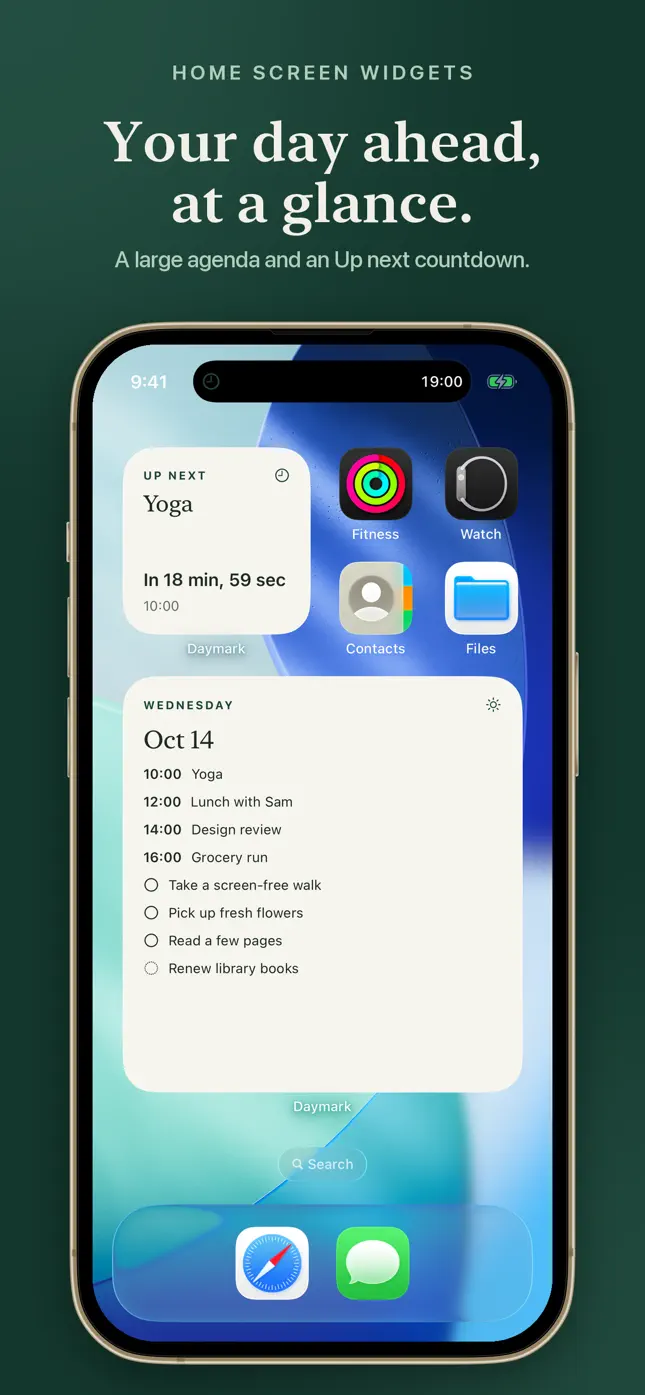
Seven days of events as compact colored blocks, with a count on busy days. The large size adds a short agenda below. Start the week on Sunday or Monday.
Calendar widgets for iPhone
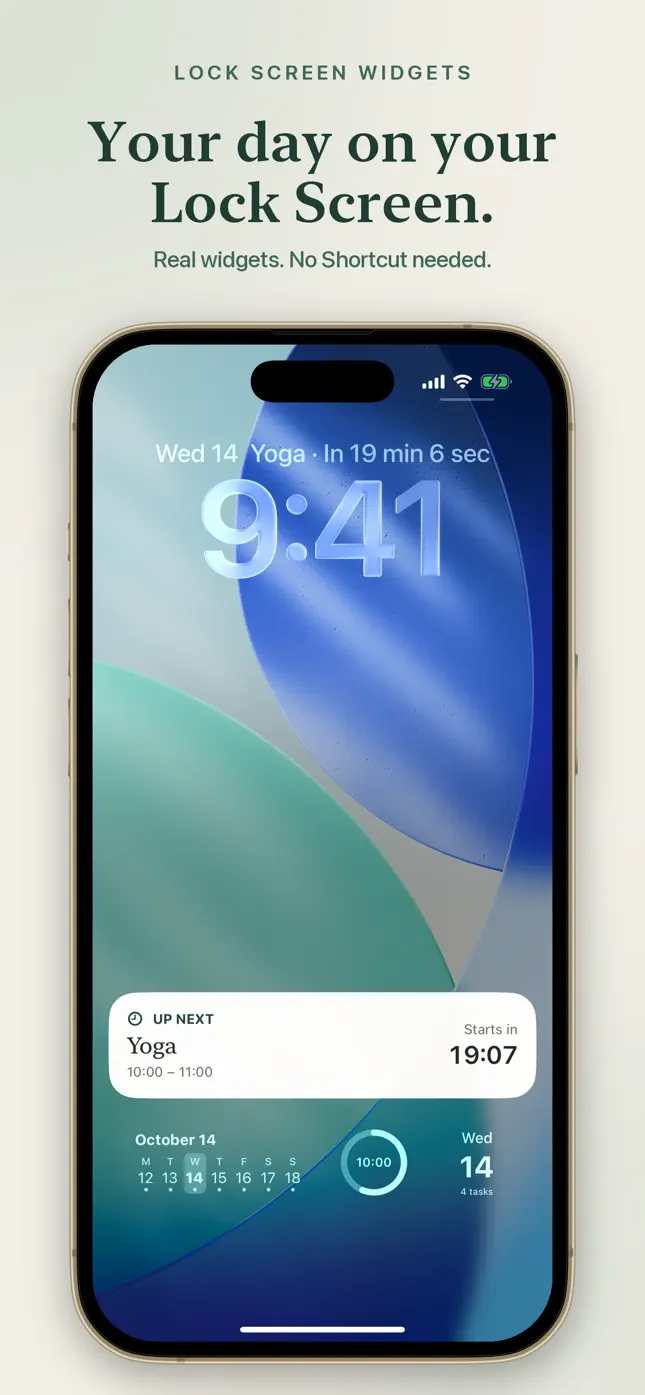
Daymark keeps your week, your next event, today’s tasks and a pinned note on your Home Screen and Lock Screen. Pick up your phone and the plan is already there.
 iPhone · iOS 17 or later
Features
A calendar, a short to-do list and a sticky note, all on the screens you already check.
Seven days of events as compact colored blocks, with a count on busy days. The large size adds a short agenda below. Start the week on Sunday or Monday.
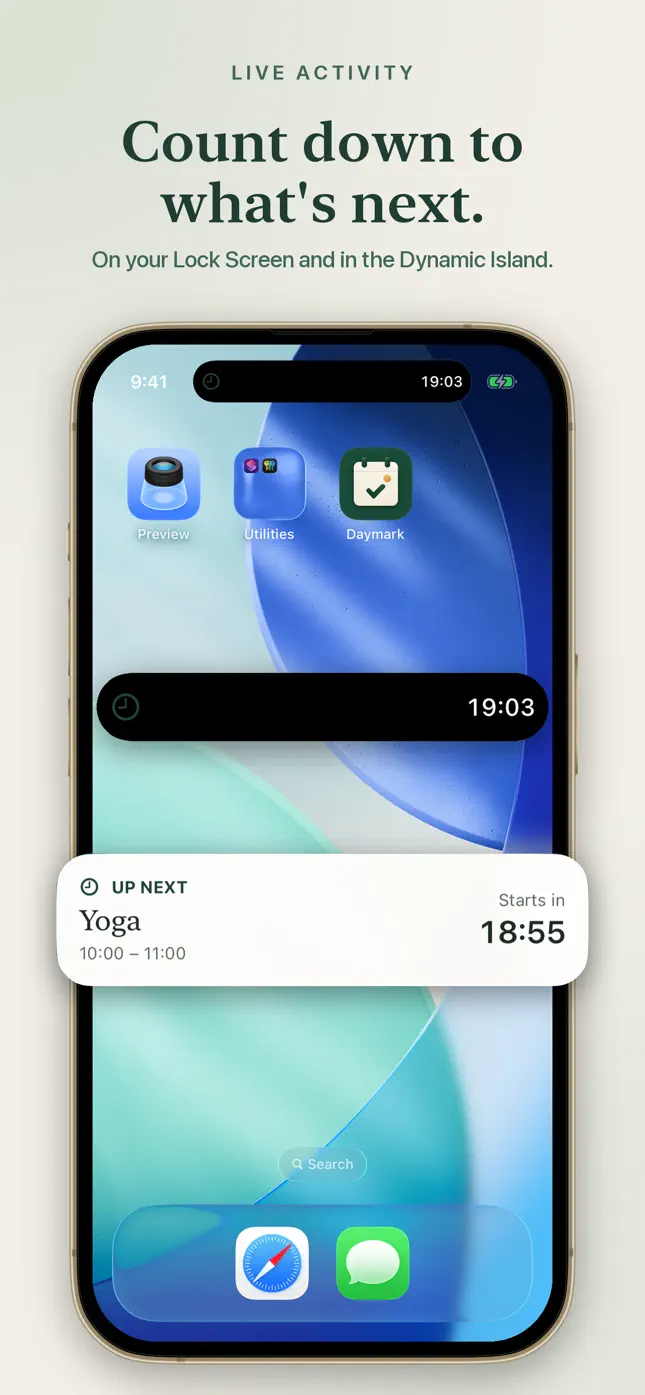
A widget that counts down to your next event, and a Live Activity that follows it on the Lock Screen and in the Dynamic Island.
Write sticky notes, pin the one that matters and keep it on your Lock Screen or Home Screen. Hide personal text and show counts instead.
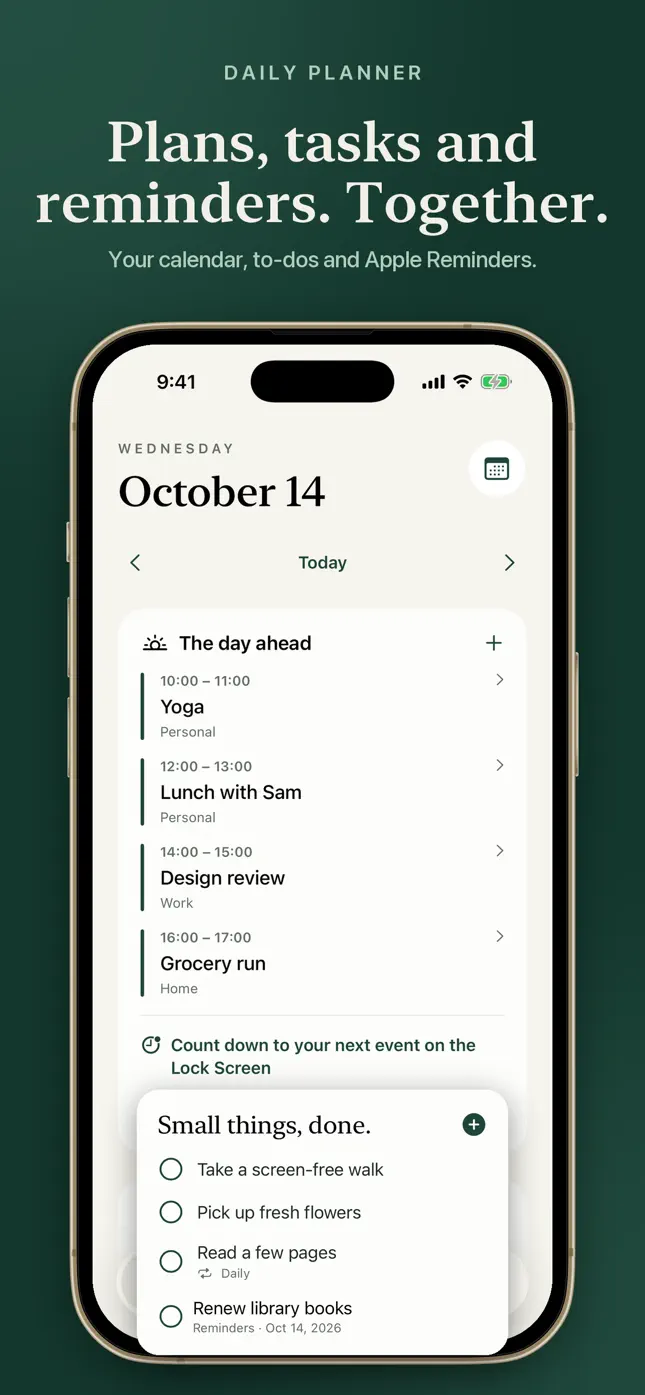
Dated to-dos with daily or weekly repeats. Future tasks wait on their dates, overdue ones are labeled, and you can tick them off from a widget.
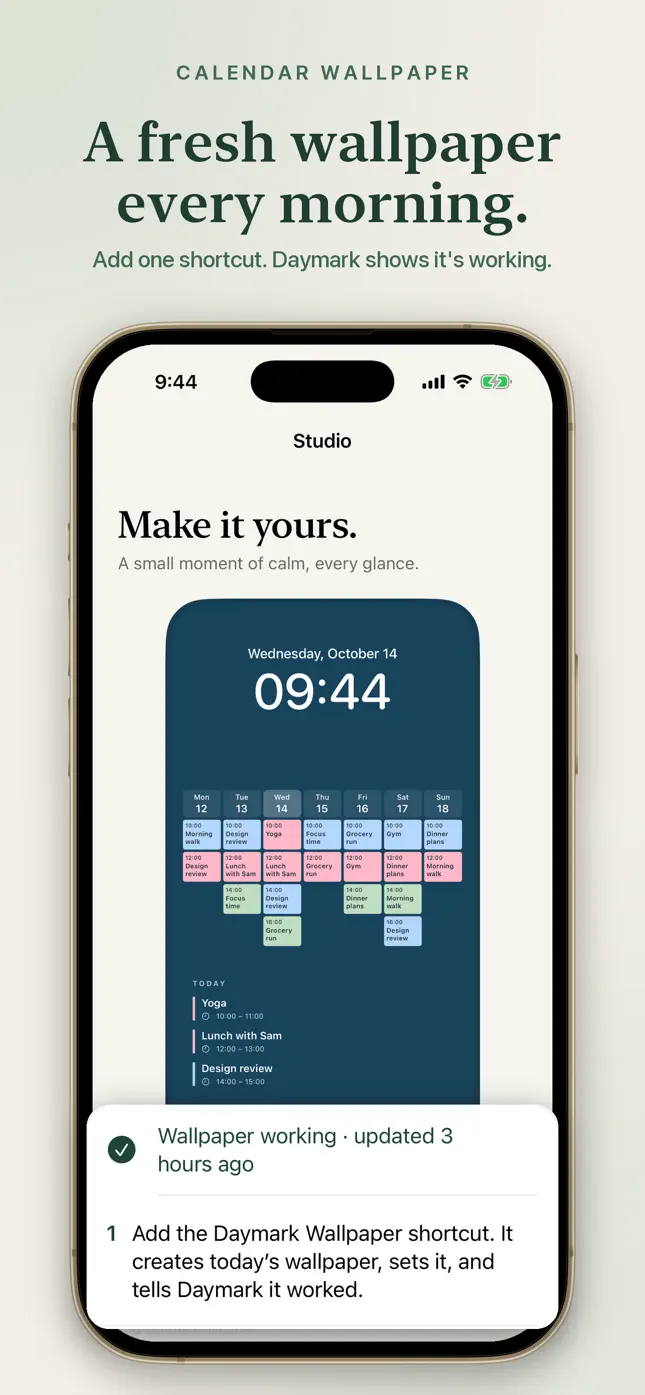
Use a calm palette or your own photo, set the dimming and export a week, month or agenda wallpaper. A ready-made Shortcut can refresh it every morning.
Choose which iOS calendars appear. Google and Outlook work through Apple Calendar, and dated Apple Reminders show up next to your tasks.
Inside the app
Swipe through the widgets, planner and wallpaper studio.
Getting started
Allow calendar access and choose which of your iOS calendars Daymark shows. Your events appear right away.
Put the week, your next event or a pinned note on your Home Screen and Lock Screen. No Shortcut needed.
Open Studio, choose a palette or photo, and export a calendar wallpaper. Turn on the morning refresh if you like.
Privacy
Daymark works without an account and shows no ads.
Daymark Plus
Daymark Plus is an optional in-app purchase. The App Store shows the available options and the price for your region before you confirm.
FAQ
Plus adds saved calendar and appearance setups, widgets that each use their own setup or note, and extra palettes and wallpaper layouts. The calendar, tasks, notes, basic widgets, photo and palette controls, and wallpaper exports are included without Plus.
Yes, through the accounts already added to Apple Calendar on your iPhone. In Daymark Settings you choose which calendars appear.
No. Widgets and the Lock Screen countdown are native. Only the automatically refreshing wallpaper uses a personal Shortcuts automation, and Daymark can add a ready-made one in one tap.
Daymark asks iOS to refresh its widgets whenever you change something, but iOS decides the exact timing. Calendar syncing is handled by iOS and your calendar provider.
Yes. Choose a photo or a palette in Studio, adjust the dimming and export a week, month or agenda wallpaper.
Yes. Choose System, 12-hour or 24-hour time. Your choice carries through the agenda, widgets and wallpaper.
There is no account and no ads. Tasks, notes, saved setups and selected photos stay on your device. Purchase services process purchase records and pseudonymous identifiers, not your calendar, task, note or photo contents. See the privacy policy.
An iPhone running iOS 17 or later.
Sign in with the Apple account that bought Plus, then open Daymark → Settings → Restore Purchases.
Get Daymark on the App Store for iPhone.